I have learned a lot of new information over the past two weeks. There were so many things that I was not aware of regarding communication devices. I did not realize how complex it is to set up a communication board using the Proloquo 2 Go program. You really have to examine what you have programmed with a group of specialists to make sure the student will have everything they need to succeed and communicate in all their living environments. It was a large learning curve to fully understand how to program communication boards and I think I still have lots to learn. I really enjoyed making the low tech assistive tech and sharing it with the class. There were lots of great ideas created and purchased by the class. I did not realize that these smaller items could be considered low tech. The greatest thing is that because these items are found at most Dollaramas they are assessible to everyone. The smallest item(s) could greatly impact a students ability to complete daily life tasks or participate in academic curriculum. Overall I believe I came away with lots of knowledge about assistive tech and a desire to learn more about it.
JF
Tuesday, July 20, 2010

Inspiring Story
The video is a story about a man, David Lega, who has won the disabled world champions in swimming, is a motivational speaker and entrepreneur. He travels the world to share his story to others.
JF
Monday, July 19, 2010

Sunday, July 18, 2010

Board Maker Plus
Board Maker Plus is a very versatile tool. So far I have been able to make books that scan and read to the user as well as communication boards. The best part of the book making is that you can import any picture you want/need from the web. I have also experimented with creating visual schedules and I think this would be an excellent asset to any classroom/learning center teacher.
JF
JF
Thursday, July 15, 2010
About Switches
Why do we use switches?
- Allow access to academics and leisure activities
- Replace any action a person might normally do
- allows accesss to device
List the goals for using switches?
- Perform task
- Communicate
- Make switch easy to locate and activate
- Needs to do whatever the user would like to access
List selection criteria for selecting a successful switch. What needs to be considered at all times?
- Determine mounting solution
- Needs and challenges
- Simply: access through touch
- Speciality: accessed through breath or eye wave
- Position of client
- position of user, user movement pattern, users controlled, type of switch: simple of speciality
- May be using it for long periods of time therefore must be one they can use with minimal fatiguge
- Social aspects: user may want various sights depending on whether they feel one area is more socially exceptable
- Whether the user has fine or gross motor skills
- Force: must be aligned with strengths and weaknesses of muscles
- Feedback: Gives user conformation that the switch has occured
- 1. Auditory feedback makes a sound to let the user know the connection has occured
- 2. Visual colors help some user with visual impairments
- 3. Tactile feedback gaves users smooth or rough surfaces
- 4. Kinestheic feedback
- 5. Porprioceptive feedback for users who have an overflow of mevement
- Travel: Distance user has to go to activating switch
- Play: amount of give in a switch
- Single Switch: controls any device using one switch
- Dual Switch: 2 switches in one, control any 2 devices
- Multiple Switch: 5 single switches in one
What is they purpose of the mount?
Where the switch will be placed, wheel chair
- To hold the switch in place
- dependent on the needs and abilities of user
- Mobility
- Height
- Diameter
Social Story Presentations and Switches
The social story presentations were very well done. It really gave me the perspective that they can be used on a variety of students in a variety of environments, the school bus, cafeteria, classroom and playground.
Switches can be used to access computer programs and communication devices in the classroom. The single switches allow Micheal to access his communication device and interact with his peers. Switches can come in various sizes, shapes and sensitivities depending on the students needs. The switch can be set up as timer to activate objects such as light switches, fans, music players, Power Point, "News 2 You", shredders or other computer programs. Verbal cues are very important when training students to use the switch, you need to be specific and direct as to what you want them to do, otherwise they will not learn why they are using the switch. Motivation is also key to student success using switch. I think the switch is a great way to ensure all students have a role in the classroom and feel included in the class. Students with severe learning or physical disabilities can be motivated by the switch when they are given the opportunity to perform a task that they may not have been able to do prior to using a switch. Students all need motivation regardless of ability. The switch needs to produce a product so that student will feel an accomplishment, whether it be turning on the lights, turning on the music player or using Clicker 5. One of the most important things we can do as educators is to make it fun for the students using switch just as we would for the other students in the classroom.
JF
Switches can be used to access computer programs and communication devices in the classroom. The single switches allow Micheal to access his communication device and interact with his peers. Switches can come in various sizes, shapes and sensitivities depending on the students needs. The switch can be set up as timer to activate objects such as light switches, fans, music players, Power Point, "News 2 You", shredders or other computer programs. Verbal cues are very important when training students to use the switch, you need to be specific and direct as to what you want them to do, otherwise they will not learn why they are using the switch. Motivation is also key to student success using switch. I think the switch is a great way to ensure all students have a role in the classroom and feel included in the class. Students with severe learning or physical disabilities can be motivated by the switch when they are given the opportunity to perform a task that they may not have been able to do prior to using a switch. Students all need motivation regardless of ability. The switch needs to produce a product so that student will feel an accomplishment, whether it be turning on the lights, turning on the music player or using Clicker 5. One of the most important things we can do as educators is to make it fun for the students using switch just as we would for the other students in the classroom.
JF
Wednesday, July 14, 2010
Video Social Stories
It was a great experience creating the video social story. I filmed our video using the i pod Nano, which was very easy to do once our skit was written out. The sound recording was also easy to do once we knew where to start and stop recording. It did take a little time to edit and convert the files and ensure it would play. I look froward to sharing the social story with the class tomorrow and seeing everyones reactions. I do think this social story will be very successful with the student we based it for, and our hope is that in September we can introduce it to them.
JF
JF
Tuesday, July 13, 2010
Assignment 3: Part 3 - 10 items that can be found at the dollar store




1. Magnified Glass - Can be purchased for a dollar and used to support students with visual impairments.
2. Beads - Come in a pack often with string for a dollar and can be used as a fidget toy as well as a math counter for students with visual impairments.
3. Pencil Grips - Come in many different sizes to provide support to students who have difficulty holding pencils.
4. Ear phones - Come in handy to students who have autism and have noise sensitivity.
5. Serving Dish - We thought this item would be useful for creating a sensory board. The dish it self gave a mirror reflection and was ribbed around the edges.
6. Stress Ball - These come in many different colors, sizes and textures. These dollar toys can provide relief to students with ADHD, ODD and OCD.
7. Garden Gloves - Dollar gloves sometimes come in packs of three and could provide relief for students with autism who have texture sensitivity issues.
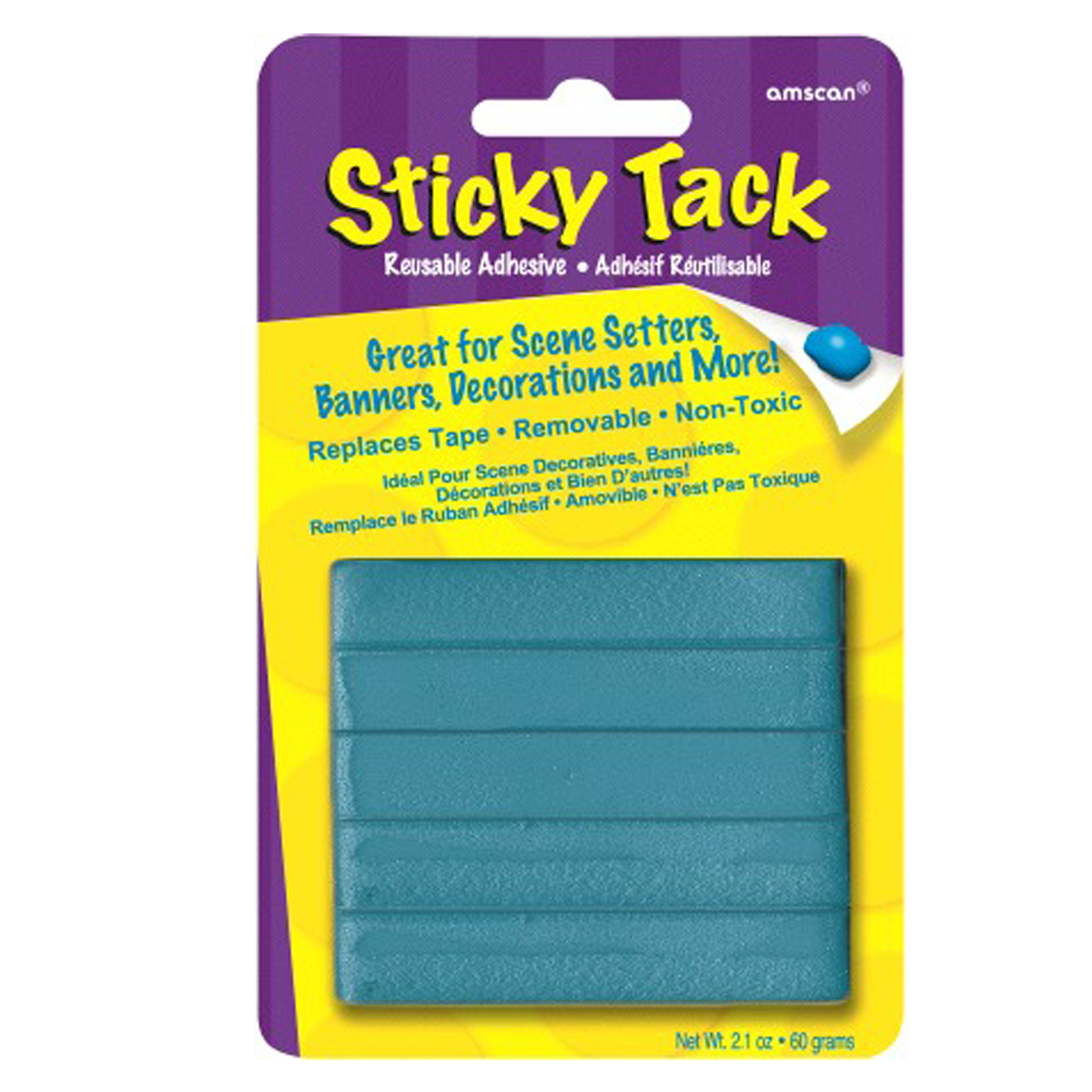
8. Sticky Tack - This fun goo can keep objects in one place for students with fine and gross motor difficulties. It can also be soothing for students with ADHD.
9. Suction Cups - These suction cups can hang calenders for visual schedules and keep larger objects in one place for students who can not.
10. Foam Letters - These foam letters often come in a tub for a dollar and can be used to support students that have visual impairments. They can be glued, stapled or taped to paper and traced. They can be used to place on white boards using magnets or clips for a visual schedule.
Monday, July 12, 2010
Low Assistive Technology
Today's class I was introduced to several pieces of low tech equipment. It was quite amazing to learn how many items could be turned into something to support learning and lesiure in the classroom. I really liked the pencil grips made out of the old style hair curlers. I work with a lot of students who have ADHD/ADD/ODD and who would benefit from the different stress and sensory balls. When I ventured out to the Sackville Dollarama I noticed a lot of items that could be turned into low assistive technology.
JF
JF
Saturday, July 10, 2010

Friday, July 9, 2010
Using the i pod and Prologuo 2 Go
After my first experience trying to program an i pod touch with Prologuo 2 Go for a student I truely realized that the process needs to be a team procedure. I was not until we shared the school program category with the group that we realized we needed to add and remove some categories. I think you really need to work all the the specialists to create a successful communication device. It was a great learning experience programming the i pod.
JF
JF
Thursday, July 8, 2010
Day 4: i Pod Touch and Prologuo 2 Go
The first part of today's class was spent programming the i pod touch for our student in grade 6. It helped a lot to have the categories and responses mapped out prior to programming. It allowed my group to see if we missed anything or needed to re word things. It took almost a full two hours to fully add one category, school with comments. It makes you think about all of the different areas in the school environment that a student interacts with peers, adults and school staff. We needed to make sure we had covered all areas of conversation to omit or grossly limit frustrations felt by the student. Working with the i pod touch has been a great expereince and I'm glad that I will be prepared to program for students I might teach in the future.
Wednesday, July 7, 2010
Day 3: The i Pod Touch and Proloquo 2 Go
Today I spent the class learning how to use the i pod touch. When I began the process of working with the Prologuo 2 Go program I was a little overwhelmed. After 20 minutes of playing around with creating categories, folders and messages I became more familar and comfortable with the program. It does take a lot of planning to get it programmed appropriately for each student. I think once the outline has been clearly written out it is a friendly program to set up. I can see how this program could greatly reduce the frustration of non verbal students when it is programmed to meet their needs.
JF
JF
Tuesday, July 6, 2010
Day 2 cont: Communication
There are three modes to communication: Joint attention, common language and actively communicating to a partner.
Communication can be difficult to say the least when you are relying on visuals, prompts or limited writing. Students will exhibit their frustration when they can not communicate their message. The ways of communicating rely so much on the other communicator being able to interpret the message. The Go talk cells and buttons can ensure the message is clear and concise. The i pod touch makes communication for others even better because of the convenient size and almost unlimited amount of space for categories. The i pod can hold categories for learning and leisure.
JF
Communication can be difficult to say the least when you are relying on visuals, prompts or limited writing. Students will exhibit their frustration when they can not communicate their message. The ways of communicating rely so much on the other communicator being able to interpret the message. The Go talk cells and buttons can ensure the message is clear and concise. The i pod touch makes communication for others even better because of the convenient size and almost unlimited amount of space for categories. The i pod can hold categories for learning and leisure.
JF
Day 2: AT Assessments
Each assessment we looked at (MPTT, WATI, SETT framework, Stages, HAAT) began the process of looking at students needs/challenges and environments they would be in. Not one assessment is better than the other, each is matched with the student depending on their needs. I liked the look of the WATI check list because it seems very concise and throuogh which would increase the likely hood for a sucessful match.
MPTT: Students/person always in the middle, motivated, cooperative, supportive family, know it will improve performance,setting/environment fully supports AT, causes no pain, fatigue or stress, is safe and reliable
WATI Check list: Disability check, age group, classroom setting, current service providers, medical considerations, other leisureconcerns
SETT: Step 1 collect info on student, technology, environment
MPTT: Students/person always in the middle, motivated, cooperative, supportive family, know it will improve performance,setting/environment fully supports AT, causes no pain, fatigue or stress, is safe and reliable
WATI Check list: Disability check, age group, classroom setting, current service providers, medical considerations, other leisureconcerns
SETT: Step 1 collect info on student, technology, environment


Monday, July 5, 2010
Day 1: Access to Learning and Leisure
Autism Is a World Film
Sue was not able to communicate until the age of 13 and was assumed to be unintelligent. Before she was introduced to the communication board she was unable to communicate to her peers or family.
Some of Sue's behaviours, such as uncontrollable vocal or physical movements had made it difficult at first for her to learn how to use the communication board. As time went on she quickly picked up the language skills she needed to form complete sentences using the communication board and the world was able to see her ability. It is terrifying to think of what her life would have been like had she had not been given the opportunity to communicate using technology and is equally terrifying to think of how many people 20 + years did not have any opportunity to express themselves. Without the technology we may have never known how extremely intelligent Sue was. It is a scary statistic that many years ago it was thought that 75+ non verbal autistic people were considered to be living in the mentally retarded range.
Sue has shown researchers that they don't know nearly enough about autism. It was very important that Sue made the comment that although she can graduate with many degrees and be very successful the autistic tendencies will always be there. They are apart of whom she is. Given the appropriate tools and supports people with non verbal autism have the ability to participate in literacy and leisure.
We have to assume competency of all our students!
Tyler's program – Tyler is a very bright young man who has Cerebral Palsy and is nonverbal. He has been supported in school and leisure from the time he was five. He has able to grow with his peers academically and socially because he was matched with the appropriate assistive technology. Tyler is a very intelligent and happy young man whose cognitive abilities and memory are at age level. He has been using a switch to activate computer programs such as Kurzweil and Clicker 5 to complete the same tasks as his peers in his class.
Tyler is one example to me of how important it is that teachers, parents and student are trained with whatever technology the student uses. It is awesome to see that Tyler began to be matched at a young age so that the technology learning did not get in the way of his academics. Given the appropriate tools (switch, clicker five, adapted chair, etc) Tyler was able to achieve close to straight A's and is fully integrated in the classroom. He is another example of how important it is to know that all students can learn.
JF
Sue was not able to communicate until the age of 13 and was assumed to be unintelligent. Before she was introduced to the communication board she was unable to communicate to her peers or family.
Some of Sue's behaviours, such as uncontrollable vocal or physical movements had made it difficult at first for her to learn how to use the communication board. As time went on she quickly picked up the language skills she needed to form complete sentences using the communication board and the world was able to see her ability. It is terrifying to think of what her life would have been like had she had not been given the opportunity to communicate using technology and is equally terrifying to think of how many people 20 + years did not have any opportunity to express themselves. Without the technology we may have never known how extremely intelligent Sue was. It is a scary statistic that many years ago it was thought that 75+ non verbal autistic people were considered to be living in the mentally retarded range.
Sue has shown researchers that they don't know nearly enough about autism. It was very important that Sue made the comment that although she can graduate with many degrees and be very successful the autistic tendencies will always be there. They are apart of whom she is. Given the appropriate tools and supports people with non verbal autism have the ability to participate in literacy and leisure.
We have to assume competency of all our students!
Tyler's program – Tyler is a very bright young man who has Cerebral Palsy and is nonverbal. He has been supported in school and leisure from the time he was five. He has able to grow with his peers academically and socially because he was matched with the appropriate assistive technology. Tyler is a very intelligent and happy young man whose cognitive abilities and memory are at age level. He has been using a switch to activate computer programs such as Kurzweil and Clicker 5 to complete the same tasks as his peers in his class.
Tyler is one example to me of how important it is that teachers, parents and student are trained with whatever technology the student uses. It is awesome to see that Tyler began to be matched at a young age so that the technology learning did not get in the way of his academics. Given the appropriate tools (switch, clicker five, adapted chair, etc) Tyler was able to achieve close to straight A's and is fully integrated in the classroom. He is another example of how important it is to know that all students can learn.
JF
Subscribe to:
Posts (Atom)